Product & UI prompts from real videos
All 35 product & ui prompts that creators posted with the videos Claude made from them, most liked first. Each card shows the video, the model the creator named and the full prompt.
The prompts
All Product & UI videos 𝕏 Prompt available

Order: one black shape keeps changing: Ordered ✓ → Printing % → On its way (a van on a route) → Delivered ✓. Wall: the delivered circle expands until black fills the frame, holds for one beat, then…
Full prompt
.
Order: one black shape keeps changing: Ordered ✓ → Printing % → On its way (a van on a route) → Delivered ✓.
Wall: the delivered circle expands until black fills the frame, holds for one beat, then shrinks into the framed print hanging in the real wall footage. The same iris opens onto the print and closes again. The frame fills the screen, contracts into the pill → the dot → the letters spring back out on the returning beat. Last frame = first frame.
</structure>

<build>
1. One HTML file, square 1440x1440. Compute every style from time inside an async seek(t): no CSS transitions, timers or state carried between frames.
2. Use closed-form step responses for springs. When a value has multiple targets, add one spring per change so it remains a pure function of time.
3. Liquid glass: each glass element keeps its own clone of the scene behind it. Filter that clone with an SVG feImage displacement map (a rounded-rect distance field) through three feDisplacementMaps at slightly different scales for chromatic edges, then add a rim light. For glass letters, use a canvas distance field per glyph to create the map, mask and highlights.
4. Goo: apply blur and an alpha threshold, then composite the source on top so the glass stays sharp inside.
5. Iris: place 6 blades around a hexagonal aperture. Each blade uses its two vertices, both edge extensions and the SHORT arc between them.
6. Wordmark squeeze: move every letter toward the dot by the same factor and adjust its drawn width to match (narrow the wdth axis, scale the rest), keeping the letters in contact.
7. Footage: re-encode it all-intra (ffmpeg -g 1), load it as a blob URL and await
 𝕏 Prompt available0:22

Light emotion tags only: [softly] on the quiet lines, [excited] on the [Verb] line. The opener gets no tag and a plain full stop. </script> <voice> Call the ElevenLabs API directly with my key, no…
Full prompt
Light emotion tags only: [softly] on the quiet lines, [excited] on the [Verb] line. The opener gets no tag and a plain full stop.
</script>

<voice>
Call the ElevenLabs API directly with my key, no MCP. Generate 4 takes of the whole script in one read and let me pick. If one line is off, regenerate only that line 4 times and splice the best one into my take.
Cut every pause over 0.28s down to 0.2s, then level each phrase 85% of the way to the median level, changing gain only inside the pauses.
For word timings, cut the read at every pause of 100ms or more, transcribe each chunk on its own with Whisper and pin each chunk's first word to its measured onset. One Whisper pass puts words up to half a second late.
</voice>

<direction>
A 22 second square launch film, 1440x1440 at 60fps, in the style of an AI lab's launch: a white page, one typeface, black ink, real images, and every caption typed word by word at the exact moment it's spoken.
Every control (the prompt bar, the settings panel, the caption pill) is liquid glass: the scene behind it frosted, its edge bending that scene like thick glass, a top sheen, a bright rim and a soft lift shadow. Glass on plain white shows nothing, so put a slow pastel aura in my brand colours, or a blurred wash of the photo, behind it.
The one word she stresses types in a gradient of my brand colours with a faint glow behind it.
Motion rules: the camera always drifts (a 1.0 to 1.04 push per scene, and when one scene hands its content to the next, the next starts at the zoom the last one ended on), nothing pops in (fades of at least 0.3s, eased), images switch on 16th notes with a click each, scene changes land on phrase starts, and the music's drop lands on the [Verb] line. No full stops on screen.
Banned: selection-box highlights, beat-snapped slams, white flashes, 3D, templates.
</direction>

<structure>
Seven scenes, each hung on the voice:
1.
 𝕏 Prompt available0:08

to-website reveal, 1920x1080 at 30fps (226 frames), one continuous take: a prompt types, the send button is pressed, and the box itself becomes the finished landing page. Look: blue-graded sky…
Full prompt
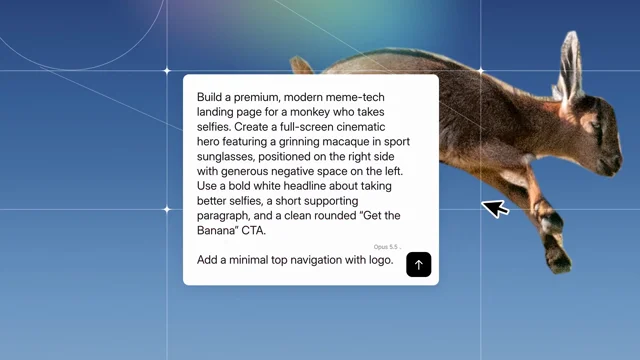
to-website reveal, 1920x1080 at 30fps (226 frames), one continuous take: a prompt types, the send button is pressed, and the box itself becomes the finished landing page.
Look: blue-graded sky #294376→#769cc2 with thin white line graphics (two circles, two horizontal and two vertical lines, two diagonals, 4-point sparkles at the crossings, a blurred violet→yellow→teal rainbow glow top-right, light film grain). The background subject is a crisp, opaque, full-colour cut-out (hand-traced mask, 2–3 px feather) on the right. White prompt box, radius 18, soft shadow; Inter 34.8px/44.4px #121212; black send button with a white arrow; a grey "Opus 5.5 ⌄" label beside it. Freshly typed characters arrive indigo #24249a, pass through blue and maroon, and settle to #121212 over ~13 frames.
Page: full-bleed hero with the subject cut out on the right over a steel-blue sky #3b5876→#75a2c4, and a horizontal motion-blur smear of the subject trailing left. White Inter UI: logo top-left, nav Features/Pricing/FAQ/Download, an outline pill top-right, bold 63px headline, 23px paragraph, white pill CTA, three muted feature rows with icons, three muted wordmarks bottom-left.
Default page copy: logo "Monke"; pill "Made with Claude Opus 5.5"; headline "Smile Harder. Selfie / Smarter, Week by Week"; paragraph "Monke tracks grins, bananas, selfies and naps—then turns every photo into clear, motivating progress you'll actually feel."; CTA "Get the Banana"; features "Grin zones (Z1–Z5 time & trends)", "Banana scores (coach-ready)", "Auto-sync from any camera you steal"; wordmarks BANANA CO. / JUNGLE / OPUS 5.5. Give the monkey white shield sport sunglasses with a mirrored lens (yellow→orange→red→magenta→orange→yellow, vertical streaks, top highlight, drop shadow) along his eye line (25° tilt).
Banned: crossfades between scenes, stock UI kits, glows on the text, anything that looks like a template.
</direction>

<structure>
Default prompt typed: "Build a premium, modern meme-tech landing page for a monkey who takes selfies. Create a full-screen cinematic hero featuring a grinning macaque in sport sunglasses, positioned on the right side with generous negative space on the left. Use a bold white headline about taking better selfies, a short supporting paragraph, and a clean rounded "Get the Banana" CTA. / Add a minimal top navigation with logo."
f0–29, type: the box starts at x884 y635 709x112 and eases out to x570 y477 778x130 (90% there by f12) while the whole scene pulls back 7%. Typing starts on f4 with a real keystroke rhythm, reaches 30 characters by f26, then stalls. Four white selection handles hug the box corners.
f29–44, charge: a violet solarised wash floods the scene (peak f36). The box tilts back up to 12° (rotateX, peak f36), the handles fly out to the frame corners, and an ASCII field of % @ # ⨸ glyphs appears at the left and right edges. The box grows to a tall card x541–1374, y425→227. On f40–48 the rest of the prompt bursts in (about 50 characters per frame) and fills ~12 lines.
f48–63, settle: the tall card lands at x575 y227 766x626. The camera eases back toward the subject. A black cursor appears on f55 at (1455,595), pointing up-left, and grows to 112 px.
f64–96, press: hard cut to a 3.19x zoom on the send button (75 px becomes 239 px on screen), a pale pink wash across the top. The cursor swings in from the right (f64–68) and glides to the button (f68–80). Press f80–86: the cursor squashes to 0.9, the button inflates 12% and flashes Claude terracotta #D97757, and the box edge bulges under it. f93–96 the frame blurs 6 px under a lavender veil.
f97–120, reveal: wide shot. The page's hero photo zooms slowly behind (1.1% per frame). The box (763x596) drops from y60 to y245 with an ease-out, settled by f110. On f106–110 it turns grey, then goes dark from the bottom while a cyan band sweeps down through it (f111–121), wiping the text away.
f121–145, morph: the box grows into the page, from x576 y245 763x596 to full frame on a fast ease-out (half the distance by f127, full by f145). Its fill is glass: a dark veil at the top, a cyan→white band sweeping down and out, white fading away. Every page element slides from inside the box to its final place on one progress curve (50% at f130, 90% at f147, done at f161). The headline types two lines at once from f122 to f158.
f161–224, pull back: the page shrinks around its centre onto a flat #dddddd background, from 1920 px wide to 1344 px (1634 by f173, 1404 by f190, 1344 by f214). The hero's motion blur strengthens as it goes. f225 is black.
</structure>

<build>
1. One HTML file, 1920x1080, rendered from seek(t). Every style is a pure function of the frame: no CSS transitions, no timers, no Math.random. Use seeded hashes.
2. Animate with keyframe tables, kf(frame, [[f, value], ...], ease), interpolating numbers or arrays. Every move above is a table of these keyframes.
3. Cut-outs are SVG masks from hand-traced polygons with a 2–3 px Gaussian feather. The motion-blur smear is a scaleX-stretched copy through an SVG horizontal blur (feGaussianBlur stdDeviation="40 0").
4. The press, the grey-to-dark box and the glass card are layered linear gradients whose stop positions are driven by the band value.
5. Sound: no voice.
   - Music: cut Voxscape so its first bass step lands at 1.72 s (source 38.76 s) and its big bass attack at 4.11 s (source 47.36 s, splice at 3.41 s).
   - Low-pass sweeps: the music dips to 400 Hz from 2.4 to 2.78 s and to 150 Hz from 3.41 to 3.58 s, reopens by 4.08, and fades out 6.6–7.5 s.
   - Synthesized sound effects: keystroke ticks on the typing (0.13–1.97 s) and on the headline (4.3–5.1 s); whooshes at 1.35, 2.18 and 3.30 s; a click at 2.78 s; a shimmer rising to 4.08 s; a sub boom at 4.09 s; a pop at 5.15 s; a settle at 6.54 s.
   - Master to -14 LUFS, true peak -1 dBTP.
6. Render with Playwright, one screenshot per frame, then encode h264 at 30 fps and mux the audio.
</build>

<gotchas>
Measure text only after the fonts load, or the words collide. The cut-out subject must be opaque and crisp; blending it into the sky makes it look like a ghost. The zoom shot is a hard cut, not a zoom animation. Keep the page content inside the card while it grows (overflow hidden), except the nav, which sits above the box early on. Frame 225 is black.
</gotchas>

<start>
Ask me for the inputs. Then show me 4 stills (f20 typing, f82 the press, f125 mid-morph, f200 the pull-back) before you render the full film.
</start>
 𝕏 Prompt available0:58

make product videos with code and AI agents Copy everything below the line into a coding agent (Claude Code, Codex, etc.). Fill in the `{{…}}` placeholders first. It describes how Inbox Zero…
Full prompt
make product videos with code and AI agents

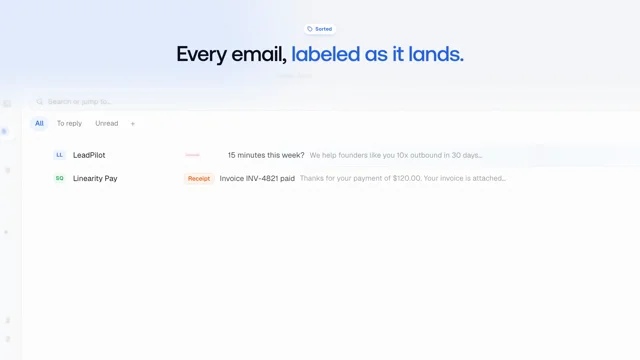
Copy everything below the line into a coding agent (Claude Code, Codex, etc.). Fill in the `{{…}}` placeholders first. It describes how Inbox Zero produced its landing-page hero, launch films and about 15 docs and app walkthroughs, each costing well under $1 in API calls.

---

You are producing product videos for **{{PRODUCT}}** ({{ONE-LINE DESCRIPTION}}). The videos are a landing-page hero (~55s), short launch films (25–40s) and feature walkthroughs (45–110s) for the app and docs. They are made entirely with code: there's no screen recording and no video editor. Quality matters far more than cost.

The product's source code is at `{{APP_REPO_PATH}}` and its docs are at `{{DOCS_PATH}}`. The founder or reviewer is {{REVIEWER}}. They give taste feedback, and you turn that feedback into written rules.

## 1. Core idea

Every video is an **HTML/CSS/JS page whose every frame is a pure function of time `t`**. Headless Chrome screenshots each frame, and ffmpeg encodes them. This gives you:
- Exact, repeatable renders: a copy change means a cheap re-render, not a re-edit.
- Parallel rendering, because nothing carries over from one frame to the next.
- Real product UI, because the "footage" is real DOM captured from the running app.

Don't use Remotion or any other video framework; a ~200-line engine is enough. Don't screen-record: recordings can't be re-timed, re-worded or kept pixel-perfect.

## 2. Set up a private video repo

Create a **private** repo (e.g. `{{ORG}}/demo-video`) separate from the product repo. Its layout:

```
AGENTS.md        # read-first notes for every agent: pipeline, taste rules, mistakes made
README.md        # catalog: every video, its branch, length, status, where it's used
BRIEF.md         # product truths, fictional cast, kit API, end-card and taste rules
EXPLAINER.md     # brief for the walkthrough format
LAUNCH.md        # brief for launch films
MUX.md           # hosting IDs for every published video
engine.js        # renderAt(t), addScene, spring/easing helpers, word-by-word captions
render.mjs       # parallel Playwright frame renderer → ffmpeg
           # voice + music mix with ducking and loudness normalisation
judge.mjs        # audio judge (picks the best TTS take)
vjudge.mjs       # video judge (reviews a whole render)
         # contact sheet from sampled frames
kit/app/         # REAL app screens captured as DOM snapshots (see §3)
kit/explainer.js # overlays: step captions, callouts, highlights, camera, cursor, typing, toasts,
                 # and mocks of third-party UIs (Gmail, Outlook, Slack, …)
kit/endcard.js   # shared end card
music/           # shared music bed(s)
tools/           # upload scripts (hosting), helpers
```

**One branch and one git worktree per video** (`git worktree add -b explainer-foo ../demo-explainer-foo main`). `main` holds only shared things: the kit, the briefs and the tools. Merge `main` into a video branch to pick up kit fixes. Put kit fixes found while making a video in a separate commit so they can be cherry-picked to `main`.

Commit each video's web encode, poster, `.vtt` captions and a `VARIANT.md`. That file holds the script, the timings, chapter markers, the claim checks, and any docs-vs-UI discrepancies found. Git-ignore masters and intermediate files.

Keep `AGENTS.md` alive. Every time the reviewer gives feedback, or an agent makes a mistake, add a one-line rule there. This file is what makes the tenth video good on the first try.

## 3. Capture the real UI kit

1. Run the app locally with a **seeded database of fictional data**: one consistent cast (a main user plus 4–5 contacts and a fictional company), and realistic but fake emails, events and numbers. Use local emulators for third-party APIs where possible.
2. Write a capture script (Playwright) that visits each screen and state the videos need. It saves the **rendered DOM plus inlined CSS** as a standalone HTML snapshot, plus a PNG for reference. Inbox Zero ended up with ~140 states.
3. Missing states can be **derived** from the nearest snapshot by editing the DOM to match the real component's source (text, classes), never invented.
4. **Audit every snapshot for leaks** before committing: real names, emails, avatars, API keys, and the capture machine's **timezone and locale**. A real city name once leaked through a timezone picker.
5. Document the states, selectors and how to recapture in `kit/app/README.md`.

## 4. Write the script (accuracy first)

- Read the docs page and **the app source** for the feature. Every label, button and step on screen must match the product. Where the docs and the UI disagree, the UI wins; log the discrepancy in `VARIANT.md` and fix the docs afterwards. (This produced a steady stream of real docs fixes and bug reports.)
- Check claims in code, not just in the docs. For example, does feature X actually use data Y?
- Keep a list of **product truths** in `BRIEF.md`: supported platforms ("always say Gmail *and* Outlook"), trial terms, and what is early-access.
- A walkthrough has a 1–2s product payoff up front, then numbered steps (one caption each), one result shot, and a minimal end card.
- **Intro messaging** (hero and launch) must say what the product *is* in the first line. Write several candidate openers and let the reviewer pick.

## 5. Build the timeline

- `engine.js`: scenes are DOM subtrees shown and hidden with `display:none` (not `visibility`, because visible children leak through a hidden parent). All motion is computed from `t` with springs and easing.
- **Render purity is mandatory**: no ` no randomness without a seed, no state carried between frames. Workers start mid-timeline.
- Camera moves are CSS transforms on the snapshot, and so are cursor paths, typing and highlights.
- Preview live with `npx serve .`, using `?t=17` to start at 17s.

### Taste rules (start with these; add your reviewer's)
- **Openers:** light and product-native. No dark gradients, glossy fake app icons with red badges, or captions over blurred clutter. Reach the product payoff within ~2s.
- **No recaps:** never repeat earlier points in words or as a montage at the end.
- **End cards:** neat and centred, with a logo lockup, one line and a quiet URL. Landing cuts can carry one CTA (e.g. "Try free for 7 days") plus small platform marks. Never "·"-joined copy, and never a button stuffed with text.
- **Legibility:** body text ≥ 20px at 1080p, no wide shot of unreadable UI for more than ~1s, no words sliced at frame edges, and captions fully settled ≥ 0.4s before the click they describe.
- **Transitions:** no long crossfades between two busy UIs (the double exposure looks muddy). Use a cut, a camera push or a short blur-through.

## 6. Audio

- **Voiceover:** a strong TTS model with style instructions (Inbox Zero used Gemini Flash TTS through OpenRouter). Pick one voice per format. Generate **2–3 takes per line** and pick the best with an audio-capable model (`judge.mjs`): it scores pacing, mispronunciations, odd stresses and clipped endings.
- **Music:** generate one shared bed per format (Inbox Zero used Lyria). Models ignore the requested length, so detect the beat grid (librosa) and cut or loop at phrase boundaries.
- **Mix (` duck the music under the voice with a sidechain, then do two loudnorm passes to −14 LUFS and −1.2 dBTP.
- Agents can't listen. Flag music endings and loop points for a human ear-check.

## 7. Render

- `render.mjs` splits frames across N Playwright workers. Each one loads the page, sets `t` and screenshots. ffmpeg then encodes a high-quality master (CRF ~12) and a web copy (CRF ~20).
- Add a screenshot timeout and retry (e.g. 120s, 5 tries); long renders hit flaky frames.
- Support env vars to render a sub-range or a single segment, so fixes don't need a full render.
- **On a shared machine:** cap workers (e.g. 3 per agent) and only stop your own processes by PID. Never `pkill -f render.mjs`: it kills other agents' jobs.

## 8. Review before showing anyone

- Sample frames into 2×2 contact sheets and **look at them yourself**, zooming in on captions, edges and data. This is the main review.
- Use a video-capable model (`vjudge.mjs`, Gemini Flash) for whole-video checks like timing and caption order, but **treat its output as hints**. Video and audio judges hallucinate problems, so verify every claim against frames.
- Check: claims match the code, the fictional cast only, no leaks, the legibility rules, the end card.
- Show the reviewer the finished mp4s (open the folder for them) along with the `VARIANT.md` discrepancy list.

## 9. Work in parallel with subagents

- Once the kit and briefs exist, give **one subagent per video**. Each gets its own worktree and branch, the brief, the relevant docs page, and the instruction to read `AGENTS.md` first.
- Each subagent writes the script, builds, renders, reviews and reports back with the mp4 path and the discrepancies found.
- The coordinator merges kit fixes into `main`, uploads, and integrates the videos into the app and docs.

## 10. Publish

- **Hosting:** use Mux (or similar) rather than YouTube embeds. You get a clean player, no recommendations and auto-subtitles. The upload script sets a public playback policy and generated English captions, and records each ID in `MUX.md`. Pass API tokens via env vars and never commit them.
- **In the app:** a feature-page video button or dismissible card. **Lazy-load the player** (`next/dynamic`, `ssr:false`) so it only loads when the dialog opens and adds nothing to the page bundle.
- **Docs:** a lazy `<iframe src=" loading="lazy">` at 16:9.
- **Landing hero:** track `video clicked / started / progress / completed / closed` with a `video_id`. Don't A/B test the hero video: only the ~10% who click can be affected, so overall-sign-up tests are underpowered. Ship the better cut and compare cuts on watch-through and viewer → sign-up by `video_id`.
- **YouTube:** the API locks uploads from unaudited projects to private, so upload in Studio and schedule one video every ~2 days. If an agent automates Studio, set text with `execCommand('insertText')`, type dates with real keystrokes, and **read every value back before clicking Schedule**.
- If the product repo is public, keep commit and PR text free of private details. If it mounts private submodules, grep them before removing any shared component.

## 11. Mistakes we already made (don't repeat them)

- Invented UI in v1, where the reviewer's first note was "show real UI". → Real DOM snapshots only.
- Claims the product doesn't make (e.g. "important emails move to the top" when they're actually labelled). → Check in code.
- Taglines the company doesn't use. → Offer options and let the reviewer pick, then record the pick.
- A real timezone leaked in a snapshot and was committed to history. → Audit before committing.
- Agents killed each other's renders with `pkill`. → Stop processes only by your own PID.
- A judge model "found" skips and glitches that weren't there. → Verify against frames.
- Removing a shared component broke production through a private submodule. → Grep it first.
- A free hosting plan capped the asset count, and the upload script swallowed the error. → Scripts must surface API errors.

## Deliverables per video

- [ ] `out/<slug>-web.mp4`, poster, `.vtt`, and chapter markers
- [ ] `VARIANT.md`: script, timings, claim checks, docs/UI discrepancies
- [ ] An entry in the `README.md` catalog, and its hosting ID in `MUX.md`
- [ ] Any new rules learned are added to `AGENTS.md` r/ Prompt available0:30
Make a dynamic 150 second motion graphics video that shows what an incredible motion design you are, like it's a showreel for a resume. go all out. you're minimalist and tasteful, but not afraid to…
Full prompt
Make a dynamic 150 second motion graphics video that shows what an incredible motion design you are, like it's a showreel for a resume. go all out. you're minimalist and tasteful, but not afraid to add a wow factor. You'll build the video for supernotchy.com product
 𝕏 Prompt available

Research (your product).Make a dynamic 40-second motion graphics video on (your product) that shows what an incredible motion designer you are. like it's your showreel - Go all out.
 𝕏 Prompt available0:32

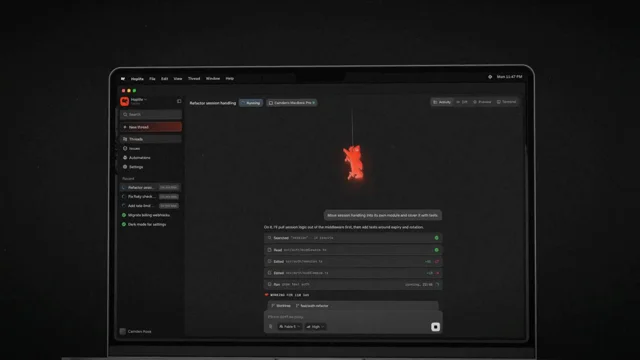
using the existing brand elements of hoplite create a feature launch video for closing your laptop with the hoplite mac app and seamlessly moving your agents to the cloud.
 r/ Prompt available0:35
/>` between beats so lines land near their marks, but do NOT trust breaks for timing: ElevenLabs stretches them. - Generate one clip per cut through the API with timestamps (`POST…
Full prompt
/>` between beats so lines land near their marks, but do NOT trust breaks for timing: ElevenLabs stretches them.
    - Generate one clip per cut through the API with timestamps (`POST /v1/text-to-speech/{voice_id}/with-timestamps`) and derive a cue sheet from the character alignment. Per line: `{ in, out, at }` where in/out index the source file and `at` is the composition time the line starts. Save as `src/vo.ts`.
    - Play each cue as its own `<Audio src startFrom={in·fps} endAt={out·fps}>` inside `<Sequence from={at·fps}>`. No re-encoding. Regenerating the voice changes only `vo.ts`.
    - Then retime the scene table in `cuts.ts` to the voice, not the other way round. Picture marks (the thing closing, the notification, the domain) land 0.3–0.6 s after the line that announces them.
    - Files go to `public/audio/vo-<Cut>.mp3`; `scripts/props.ts` detects them and sets `withAudio`. Missing files render silent.

    ## Music and SFX
You cannot produce music. [Pick one: r/ Prompt available0:28
|| You are a senior creative technologist and motion designer. Your task is to build a fully self-contained, runnable video advertisement for a mobile app — styled exactly like an Apple iPhone…
Full prompt
||

You are a senior creative technologist and motion designer. Your task is to build a fully self-contained, runnable video advertisement for a mobile app — styled exactly like an Apple iPhone launch ad.

Requirements:

1. \*\*Output:\*\* A 30-second video ad rendered programmatically using 3D graphics (Three.js, WebGL, or equivalent). Export or display it as a looping video or animated canvas in the browser.
2. \*\*Visual Style:\*\* - Dark, cinematic background (deep black or near-black) - A photorealistic 3D iPhone 16 Pro model centered on screen - The phone screen displays a live, animated UI — your choice of what the app does, make it impressive - Smooth camera orbit and depth-of-field blur effect - Subtle ambient lighting with a single dramatic key light (cool blue or warm gold — your choice) - Particle effects or light streaks in the background - Glass/metal material shaders on the phone body
3. \*\*Motion Sequence (30 seconds):\*\* - 0–5s: Black fade-in, phone rises from below, subtle rotation - 5–15s: Camera slowly orbits the phone, screen animates with UI content - 15–25s: Phone tilts to show side profile, light sweeps across the metal edge - 25–30s: Phone centers, screen glows, tagline fades in: "The future, in your hands."
4. \*\*Typography:\*\* - Use a clean sans-serif font (SF Pro or Inter) - Tagline appears at second 27, centered below the phone, white text, fade-in animation
5. \*\*Code Standards:\*\* - Single HTML file, no external dependencies except CDN-loaded Three.js (or Babylon.js) - Must run in a modern browser with no build step - Code must be clean, commented, and production-quality

Deliver a single, complete, copy-paste-ready HTML file. ||

Codex took 15 min to deliver, Claude Fable 45 min.

As for quality, clearly Fable is the winner. Im Curious if anyone else has ran similar tests.

Is Graphic Animation going to be taken over by AI?
 𝕏 Prompt available0:16

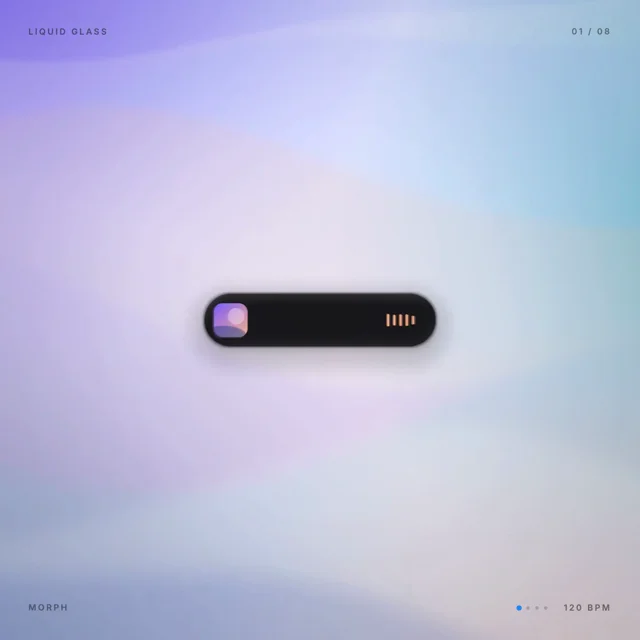
<role> You are a senior UI motion designer and creative technologist. You build UI animations in code, frame-accurate, and render them to video yourself. </role> <inputs> Style: Apple Liquid Glass.…
Full prompt
<role>
You are a senior UI motion designer and creative technologist. You build UI animations in code, frame-accurate, and render them to video yourself.
</role>

<inputs>
Style: Apple Liquid Glass. Reference platforms: iOS 26, iPadOS 26, macOS Tahoe 26.

Format: 1440x1440, 60fps, seamless loop.

Song: "Digital Clouds" by Alejandro Magaña (A. M.), from Mixkit, free under the Mixkit License. If the file is not attached, ask me for it and nothing else.

Tempo: about 120 BPM, 8 bars, and something happens on every beat. Measure the real tempo from the file. If it differs from 120, keep the beat map in beats and derive every time from the measured grid.

Palette: light mode system materials.
- Labels: #1D1D1F. Secondary labels: #6E6E73. Opaque surfaces: white.
- One accent, #0A84FF, used only for on, active and selected states.
- The Dynamic Island is the only pure-black element.

Canvas: a macOS Tahoe style wallpaper.
- Large, soft color fields: deep blue #1B3A8C, teal #2BB3B1, violet #7B5CFF, and a warm peach highlight #FFB38A.
- Slow parallax drift: 12px per bar at most.
- Saturated enough that the glass visibly refracts it, calm enough to sit behind text.

Font: SF Pro Display for 20px and above, SF Pro Text below 20px, if installed locally. Otherwise use Inter from Fontsource: 600 for titles, 500 for labels, 400 for body. Use -1% tracking at display sizes and tabular numbers for any number that changes.

Icons: one SF Symbols-like set drawn as SVG, medium weight matched to the adjacent text, one consistent optical size per state. Symbols needed: play, pause, speaker with 3 waves, house, heart, chart bars, person, magnifier, note, checkmark.

Pointer: an iPadOS adaptive pointer.
- A 22px translucent gray circle (#8E8E93 at 45%).
- It snaps (magnetism) into any control it hovers and becomes that control's highlight shape.
- It becomes an I-beam in text fields.
- It shrinks 10% on press.
</inputs>

<direction>
Apple keynote and WWDC Liquid Glass session-level UI motion. One element, never cut. Every state is the same element morphing its size, corner radius, material and color, while its content swaps with a short blur. The pointer drives every change with real clicks, holds and drags.

Material:
- Liquid Glass is a lens, not frosted plastic. It refracts the wallpaper, and the bending is strongest at the rim.
- Light frosting and a 10–16% white tint.
- A 1px specular rim lit from the top-left, with a fainter counter-highlight bottom-right. The highlight shifts as the element moves.
- A soft contact shadow: 0 10 30 at 12% black.
- Glass never sits on glass. Content on glass uses vibrant or solid fills.
- Corners are concentric: inner radius = outer radius − padding.
- When glass shapes split or merge, they join like droplets (smooth union), never crossfade.

Motion language:
- Apple-like springs everywhere:
  - Morphs: response 0.45, damping 0.86.
  - Presses: response 0.25, damping 0.72.
  - Pointer snap: response 0.3, damping 0.9.
- Overshoot is at most 3%.
- On press, glass lifts and swells (scale 1.06–1.12, brighter rim). It never shrinks.
- A toggle knob on hold turns into a clear, enlarged glass lens that stretches in its direction of travel.
- The tab bar selection is a glass droplet that magnifies the icons under it while dragged.
- Sliders thicken when grabbed and rubber-band past their limits.

Camera:
- Each state fills about 60% of the frame, and the wallpaper is always visible around the glass.
- Camera moves use response 0.6, damping 1.0.
- The wallpaper scales at 70% of the camera zoom for depth.

The last frame is the first frame, pointer position and velocity included.

Banned: bouncy or elastic easing, overshoot over 3%, particle bursts, neon glows, colored gradients on UI chrome (the glass specular rim is the only gradient), heavy drop shadows, glass on glass, mismatched corner radii, mismatched icon weights, emoji, crossfades between states, dead time longer than half a beat, anything that looks like a template or a Dribbble clone.
</direction>

<structure>
120 BPM, 8 bars, 32 beats. Beat map, one line per beat:

1. A glass capsule button "Continue" floats on the wallpaper. The pointer glides in.
2. The pointer snaps into the button and becomes its highlight.
3. Click: the glass lifts and swells, the rim brightens.
4. The capsule contracts into a circle and becomes a spinning activity ring.
5. The ring completes, filling in accent.
6. It morphs into a checkmark that draws itself.
7. The circle stretches into a black Dynamic Island, compact: album art on the left, a live waveform on the right.
8. Click: the island expands into Now Playing ("Digital Clouds", "A. M.", progress 0:42 / 1:41).
9. Click play: the play icon morphs into pause, with a path morph rather than a swap.
10. Grab the progress bar: it thickens, and the time labels shift out of the way.
11. Scrub forward with direct manipulation. The time counts in tabular numbers.
12. Release: the bar springs thin, and playback continues from the new position.
13. The island dissolves into a glass volume slider with a speaker icon.
14. Drag up: the fill follows the pointer, and the speaker waves appear one by one.
15. Drag past max: the whole slider rubber-bands and stretches, leading edge first.
16. Release: it springs back to its length at 100%.
17. The slider morphs into a toggle (track plus knob), off. Its label is "Focus".
18. Hold: the knob turns into a clear, enlarged glass lens that shows the track through it.
19. Flip on the beat: the lens stretches in its travel direction, and the track fills with accent.
20. The knob detaches as a droplet and becomes the selection lens of a floating glass tab bar with 4 tabs: Home, Health, Activity, Profile.
21. Drag the lens across the tabs. The leading edge stretches ahead of the trailing edge, and the icons magnify under the lens.
22. The lens settles on "Activity", and its icon turns accent.
23. The tab bar grows upward into a glass widget card titled "Activity", with concentric radii.
24. A 7-day bar chart (M T W T F S S) rises in a left-to-right stagger.
25. Hover Thursday: a glass tooltip bubble shows "8,412 steps", anchored to the bar.
26. Hover Friday: the tooltip slides over and counts to "11,036 steps".
27. ⌘Space: the card collapses into a Tahoe Spotlight bar with a magnifier icon.
28. Type "ne": the results list filters (New Note, Network, News), and rows spring in and out.
29. Type "w": "New Note" rises to the top as a selected accent row.
30. Enter: the row presses and lifts.
31. The Spotlight bar drops into a glass notification banner from the top: a Notes icon, "Note created", "now".
32. The banner contracts back into the "Continue" capsule. The pointer returns to its frame-1 position and velocity.
</structure>

<build>
1. One HTML file at 1440x1440. Everything is computed from time inside seek(t): no CSS transitions, no timers, no state carried between frames.

2. Springs are closed-form damped step responses with Apple parameters: ω = 2π/response, ζ = dampingFraction.
   - A value that is retargeted many times is the sum of one spring per retarget, so it stays a pure function of time.
   - Releases start from the current value and the current velocity.

3. Asymmetric edges: the tab lens, the toggle knob and the slider stretch each have their leading edge on response 0.28 and their trailing edge on response 0.42.

4. Drags are direct manipulation.
   - While held, the value is a function of pointer position, with rubber-banding past limits: offset = limit + (1 − 1/(x·0.55/d + 1))·d.
   - On release it springs back from wherever it was.

5. Glass is rendered in a WebGL2 pass, not with CSS backdrop-filter:
   - The wallpaper is drawn to a texture with a precomputed blurred mip chain.
   - Every glass shape is a rounded-rect SDF. Merging and splitting use smooth-min with k = 24px.
   - Refraction offsets the sample along the SDF gradient. The offset is strongest within 14px of the edge and scaled by lens thickness.
   - Frost is a mip-level bias.
   - Chromatic aberration is at most 1px, at the rim only.
   - The specular rim comes from the SDF normal against a top-left light.
   - The Dynamic Island is an opaque SDF in the same pass.
   - Text, icons, charts and the pointer are crisp SVG/DOM layers above the canvas, under the same camera matrix.

6. Content swaps inside a morphing container:
   - Exit takes 120ms: blur 6px, scale 0.96, fade.
   - Enter starts 60ms later with its own spring.
   - Exit and enter text never overlap.

7. Audio:
   - Analyze the song with numpy (onset envelope plus autocorrelation) for the beat grid, and start on a measured downbeat.
   - Synthesize Apple-subtle UI sounds with numpy: soft taps for clicks, ticks for scrub detents, a low detent at max volume, a keyboard click per typed letter, and a gentle two-note chime for the notification.
   - Place each sound on its measured peak, mixed about 18dB under the track.

8. Render with Playwright at 1440x1440 with 4 subframes per frame (240fps).
   - Blend to 60fps with ffmpeg: tmix=frames=4, select='not(mod(n\,4))', setpts=N/60/TB.
   - Encode H.264 yuv420p, crf 16, with AAC 192k and faststart.

9. Before the full render, render one still per beat (32) as a contact sheet. Fix anything off the grid, cramped, illegible over the wallpaper, or with non-concentric radii.
</build>

<gotchas>
- The glass and the DOM layers must share one camera matrix per frame, or the content drifts off its glass.
- Glass over a bright wallpaper patch kills legibility. Add an adaptive dim under the text based on sampled wallpaper luminance, rather than a heavier tint.
- The Dynamic Island is never glass.
- Icons crossing a morph keep their optical size. Scale the container, not the glyphs.
- The tooltip stays anchored to its bar through the camera move, not to the screen.
- Typed characters in Spotlight enter with the pointer's I-beam; the caret blinks on half-beats.
- Never put will-change on anything the camera scales, or text renders blurry.
- Make the last frame identical to the first, pointer included, or the loop stutters.
</gotchas>

<start>
If the song file is missing, ask for it. Then measure the BPM and the downbeat, and show me the beat map as a table (beat, time, state, pointer action, sound), snapped to the measured grid, before writing any code. Wait for my OK.
</start>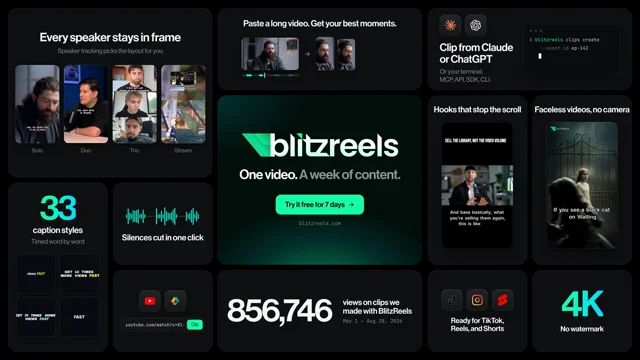 𝕏 Prompt available0:08

Make an Apple-event-style feature roundup (bento grid) for [YOUR URL]: a 4K still and an 8s seamless loop MP4. 1. Inventory: crawl the homepage, features, pricing, changelog and docs (Playwright for…
Full prompt
Make an Apple-event-style feature roundup (bento grid) for [YOUR URL]: a 4K still and an 8s seamless loop MP4. 1. Inventory: crawl the homepage, features, pricing, changelog and docs (Playwright for JS-rendered pages). List every feature with its proof URL. Keep only what customers can use today; drop coming soon and waitlist items. Use numbers only if the site states them, with URL and date. 2. Assets: logo as SVG, brand colors and fonts from computed CSS, demo videos (<video> sources, og:video), Playwright screenshots of product sections. Make a contact sheet and pick frames where the product is doing its job. No stock photos, no AI images, no fake UI. 3. Copy: 12-15 tiles, one customer outcome per tile, 7 words max, in the site's own words. Center hero tile: logo, one-line promise, the site's real CTA. 4. Build: one HTML page, 1920x1080, 12-col x 4-row CSS grid (minmax(0,1fr)), 24px padding, 16px gap, 28px radius, hero at cols 5-8 / rows 2-3. Mix video tiles, screenshot tiles, big-number type tiles and app-style icon squircles. Dark and light themes. 5. Motion: deterministic window(.)seek(t) for t in [0,8). No intro or outro: the full board is visible at frame 0. Every micro-animation returns to its frame-0 state by t=8 (type then delete, forward then back, a cursor that enters, clicks the CTA and leaves). Re-cut each video to 8, 4 or 8/3 s, crossfade its last 0.4s into its first frame with ffmpeg xfade, encode VP9 webm. seek(t) sets each video to t mod its length and awaits 'seeked'. 6. Render: Playwright at deviceScaleFactor 2, one still plus 240 frames at 30fps, then ffmpeg to H.264 1080p (lanczos, crf 16, yuv420p, faststart). 7. QA: look at the still and fix overflow, clipped text and dead space, then re-render. Loop check: RMSE between the last and first frame must be at most 1.3x the median frame-to-frame RMSE. Report every tile with its source.
 𝕏 Prompt available0:15

Make a dynamic 15-second motion graphics video for https://t.co/gdXHy7VLV0 = link hat shows what an incredible motion designer you are, like it's your showreel for a resume. go all out.
 𝕏 Prompt available0:30

Create a dynamic 30sec launch vdo for (site link). Make it feel like a high-end motion designer’s resume/showreel piece, bold, cinematic, polished, and visually impressive. Showcase the website’s…
Full prompt
Create a dynamic 30sec launch vdo for (site link). Make it feel like a high-end motion designer’s resume/showreel piece, bold, cinematic, polished, and visually impressive. Showcase the website’s identity, UI, features, and overall concept through fast-paced motion graphics, smooth transitions, kinetic typography, creative camera movements, and strong visual storytelling.

Go all out with the motion design. Make every second feel intentional and demonstrate exceptional creativity, timing, composition, and animation quality. The final video should feel like a professional product launch + motion design showreel, not a generic website promo.
 𝕏 Prompt available0:18

Make a dynamic 15-second motion graphics video that shows what my product can do. Go all out, like it's your showreel for a résumé." Here's mine 🎬 Share yours below, I want to see them!
 𝕏 Prompt available

I want you to create a highly professional SaaS product promotion video for Hedy. make sure to get actual assets and images and all of that stuff from the internet. Turn it into these typical, very…
Full prompt
I want you to create a highly professional SaaS product promotion video for Hedy. make sure to get actual assets and images and all of that stuff from the internet. Turn it into these typical, very professionally edited, motion-graphics-styled product launch videos that you see people making on Twitter when they promote SaaS products (which are showing off the features, the benefits, and all of these things).”

I did have a follow-up chat to have Claude add the voiceover using Gemini's new 3.8 TTS. It created the VO script and added the voice itself.
 𝕏 Prompt available0:30

Create me a motion graphics promo video for Use only what you have in skills and what you can pull from the webpage! 30seconds. Make it awesome and as if i paid 50thousand for this! 16:9 format.…
Full prompt
Create me a motion graphics promo video for

Use only what you have in skills and what you can pull from the webpage!

30seconds. Make it awesome and as if i paid 50thousand for this! 16:9 format. English
 r/ Prompt available0:44
looked like. * Everything lived in three files: server, HTML, CSS. Make it work first, structure it later. * One experiment I liked: I asked Claude to pick one feature to add with no guidance. It…
Full prompt
looked like.
* Everything lived in three files: server, HTML, CSS. Make it work first, structure it later.
* One experiment I liked: I asked Claude to pick one feature to add with no guidance. It chose a dash with knockback. It stayed in the game and became one of the core mechanics.

**Phase 2**

This is where most of the real work was, and where I changed how I used Claude.

1. **Split the code early.** Once a file passes about 2,000 lines, Claude spends a lot of context just reading it. Splitting into small modules (game loop, physics, matchmaking, rendering) made each session faster and more focused.
2. **Keep a** [**CLAUDE.md**](http://CLAUDE.md) **that describes the architecture.** Commands, folder layout, how the netcode works, the game rules, the UI colours and fonts. New sessions start with the right mental model instead of rediscovering it every time.
3. **Share one simulation between client and server.** The game logic lives in a single shared file that both sides run. The server is the authority, and the client runs the same code to predict your own movement, so the game feels instant even with lag. Having one source of truth also made it much easier for Claude to change game rules without the two sides drifting apart.
4. **All in one conversation.** I like to run single conversation as orchestratos and have it spin subagents per features. It works quit well
5. **Tests on the server logic.** Matchmaking, match events and the game rules have Bun tests.

**Things I learned the hard way**

* Netcode is where AI help needs the most supervision. Client prediction and reconciliation are easy to get almost right. I had to actually learn how they work to judge whether Claude's changes were correct.
* Be specific about feel.
 𝕏 Prompt available0:24

Create a premium 22-second square launch film for the user's AI product. The film should feel like a product reveal rather than a conventional SaaS advertisement: minimal, tactile, cinematic,…
Full prompt
Create a premium 22-second square launch film for the user's AI product. The film should feel like a product reveal rather than a conventional SaaS advertisement: minimal, tactile, cinematic, visually intelligent, and driven primarily by the product's real outputs.
 r/ Prompt available0:30
I want you to create a highly professional SaaS product launch video for our app. make sure to get actual assets and images and all of that stuff from our real app. Turn it into these typical, very…
Full prompt
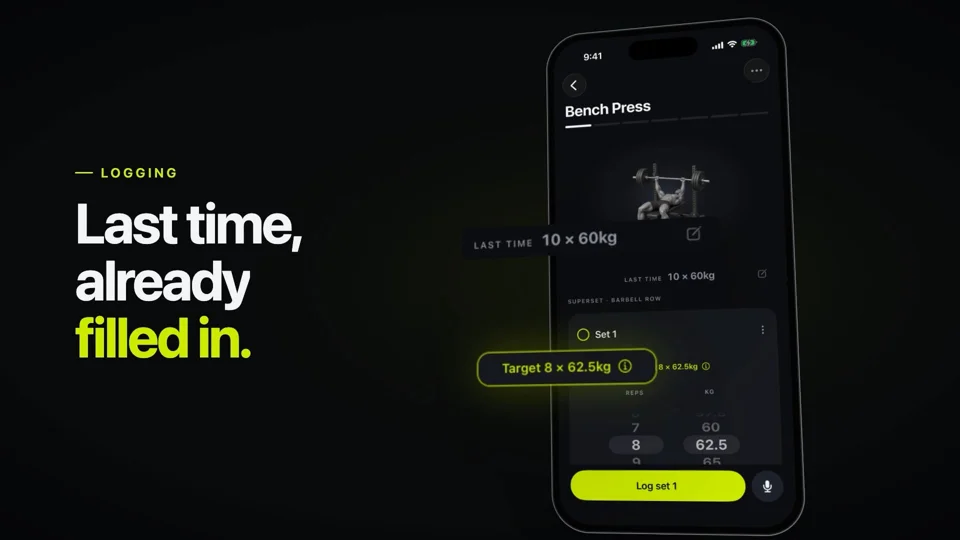
I want you to create a highly professional SaaS product launch video for our app. make sure to get actual assets and images and all of that stuff from our real app. Turn it into these typical, very professionally edited, apple and google saas / feature launch motion-graphics-styled product launch videos that you see people making on Twitter when they launch new SaaS products (which are showing off the features, the benefits, and all of these things). Don't look at past work pls, I don't want you to follow past work and don't use webapp for this, use native ios app in ios simulator which is running rn to take inspiration from it.
It should be a dynamic 30-second motion graphics video that shows what an incredible motion designer you are. Like it's your showreel for a resume. Go all out.
 𝕏 Prompt available0:24

then the editor, where the agent trims the intro and adds captions then screen recording with auto zoom then upload to youtube then the price card the first 2 seconds get planned before anything…
Full prompt
then the editor, where the agent trims the intro and adds captions
then screen recording with auto zoom
then upload to youtube
then the price card

the first 2 seconds get planned before anything else, because thats where people decide to scroll past

3\ it shows the actual product

every scene uses the real ui from the site, then animates it

text types into the agent box, clips get trimmed and the rest slide over to close the gap, a progress bar fills up

if your video is just shapes and slogans you dont have a video

4\ the music is written in code

no stock music site, no license to pay for

it writes the music and sound effects itself: chords, a bassline, drums, plus little clicks and whooshes in the same key

it even turns the music down under the part where people need to read

5\ it checks its own work

before the full render it looks at still frames from every scene AND frames from halfway through each transition

it caught a cut where two app screens overlapped into a muddy mess and fixed it by fading one out before the next comes in

then it renders the mp4, picks the best frame as the thumbnail and writes the post copy

6\ i tried to make it
 𝕏 Prompt available

Knowing everything you know about our product, make a dynamic 15-second motion graphics video that shows what an incredible motion designer you are, like it's your showreel for a resume. Go all out.…
Full prompt
Knowing everything you know about our product, make a dynamic 15-second motion graphics video that shows what an incredible motion designer you are, like it's your showreel for a resume. Go all out. Insane SFX, insane story, insane motion and transitions and effects. Extract each frame, listen to it and understand them fully."

3. Total run:  1h 2m 51s

4. Tokens consumed: 733k
 r/ Prompt available0:51
I can't do motion design and I didn't have the budget to hire someone. So I had Claude Opus 5.5 (in Claude Code) build the video for me. Since I posted it \[on X / on my site\], it has brought in a…
Full prompt
.

I can't do motion design and I didn't have the budget to hire someone. So I had Claude Opus 5.5 (in Claude Code) build the video for me. Since I posted it \[on X / on my site\], it has brought in a bit more than 10 paying customers \[in N days\]. Small number, but for a solo app it's a real one.

There is no timeline and no After Effects file. The video is a React/TypeScript project (Remotion), 1080p at 60 fps. Every frame is computed from its frame number, so the same code always renders the same film.

\- The notch, the panel and the widgets aren't mockups. Claude read my app's Swift layout code for the exact sizes and used real renders of the app.

\- Every sound is synthesized in code: no samples, no licenses. The keyboard sound has one keystroke per character, placed on the frame where that character appears, so each language has its own audio track.


My first message was a brief, not a script. It said what the video is for (present the companion, make people want to buy), what it has to show (everything it can do, with real examples, inside the notch), the feel (smooth, character properly animated) and the languages. I left the
 𝕏 Prompt available0:37

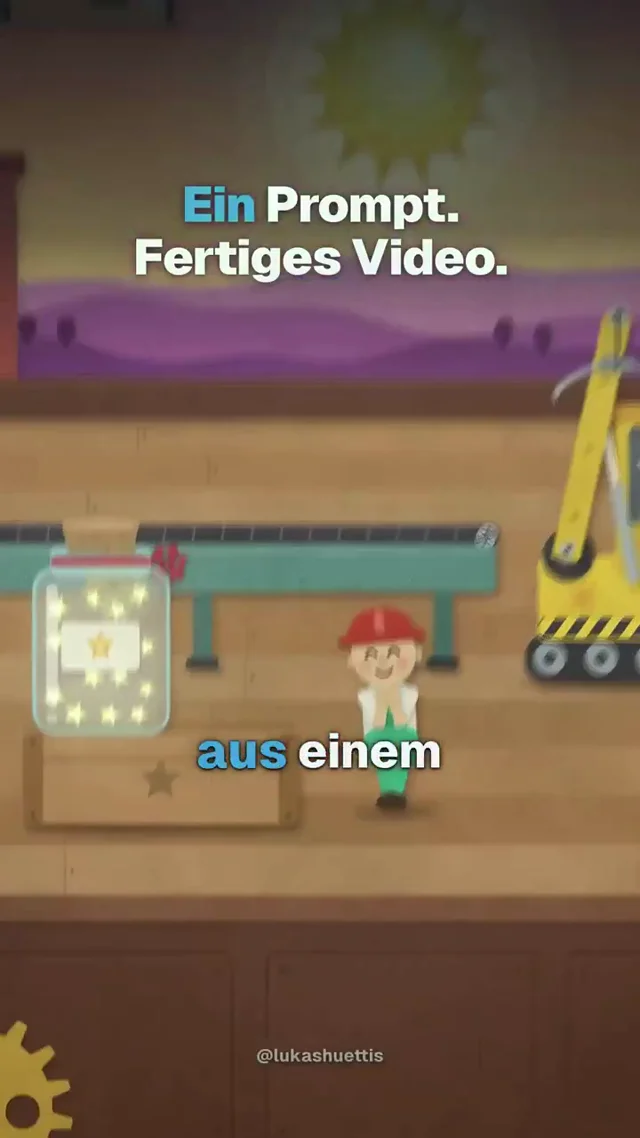
„Create the animation entirely with code.“ Was würdest du dir als Erstes animieren lassen? #ClaudeCode #KIdesign #KIAnimation #Prompting
 𝕏 Prompt available0:22

Make a motion design video about this project, "like it's your showreel for a résumé". Go all out. Hard rules: - Every frame is drawn in code (HTML/CSS/SVG/canvas + GSAP) and rendered with…
Full prompt
Make a motion design video about this project, "like it's your showreel for a résumé". Go all out.

Hard rules:
- Every frame is drawn in code (HTML/CSS/SVG/canvas + GSAP) and rendered with Hyperframes. No templates, no After Effects, no stock footage.
- The music is synthesized from scratch in a Node script (no samples, no stock tracks). Every cut, tap and impact is locked to its beat grid, and UI sounds land on the exact frames of the actions they belong to.
- Only real material and real facts from this repo. Never invent features, numbers, testimonials or UI.
- 18-25 seconds. Obey any writing-style rules the repo has (tone, banned words, punctuation).

STEP 0: SETUP (assume nothing is installed; check each item, install only what's missing, report what you did)
- Node.js 22+: `node -v`. If missing or older: macOS `brew install node@22`, Linux `nvm install 22`, Windows `winget install OpenJS.NodeJS.LTS`.
- FFmpeg + ffprobe: `ffmpeg -version`. If missing: macOS `brew install ffmpeg`, Debian/Ubuntu `sudo apt install ffmpeg`, Windows `winget install Gyan.FFmpeg`.
- Hyperframes CLI (via npx, no global install): `npx -y hyperframes --version`, then `npx hyperframes doctor`. Node, FFmpeg, FFprobe and Chrome must be ✓. If Chrome is missing, run `npx hyperframes browser ensure`. Whisper/Kokoro/MusicGen are not needed.
- Hyperframes agent skills: `npx -y hyperframes skills`. Read hyperframes-core, hyperframes-animation, hyperframes-keyframes, hyperframes-creative and hyperframes-cli before writing code.
- Optional storyboard discipline: `npx skills add  --skill brag`, or `git clone --depth 1  and copy `skills/brag/` to `~/.claude/skills/brag/`. Read its SKILL.md + references.
- Local runtime assets (the render must never hit the network). In a temp dir: `npm init -y && npm i gsap@3 @fontsource/<font>`. Copy `gsap.min.js` to `brag-output/composition/assets/js/` and the `*-latin-<weight>-normal.woff2` files to `assets/fonts/`. Prefer the project's own fonts.
- Remotion is not needed. Don't install it.
- Ask before anything that needs sudo.

STEP 1: READ THE PROJECT AND PICK THE MODE
Read the README, theme/design tokens (exact colors, fonts, radii), logo/app icon, key flows and UI copy strings. Then pick:
- MODE A, web product / SaaS / CLI / library: 1920x1080. Cinematic stage (dark unless the brand is clearly light). Hero moments are a code-drawn logo ignite, kinetic type, product media walls, a node graph of the pipeline, and a terminal if there's a CLI.
- MODE B, mobile app: 1080x1920 vertical. Use the app's own theme (light or dark, exactly as the app ships). The hero is real app screens inside a code-drawn phone. Motion should feel like iOS/Android: springy bounces, screen push transitions, a finger touch indicator with ripples, UI pieces lifting out of the phone in 3D, and the finished result bursting out of the phone to full screen.
If both exist (site + app), ask me which one, or do the one the prompt names.

STEP 2: GATHER REAL MATERIAL
- Mode A: screenshots, demo videos, real output samples, CLI commands, real counts from docs.
- Mode B: find plain real screen captures, in this order:
  1. Store screenshot folders without marketing frames (fastlane/metadata, distribution/store_screenshots, etc.).
  2. The project's screenshot/preview tooling, if it can render them.
  3. Simulator/device recordings.
  Skip marketing composites. Also grab the real app icon (iOS AppIcon 1024 or the Android launcher icon), sample output videos if the app produces media, and the official store badges. Use the repo's own badge files if they exist; otherwise get them from Apple's marketing tools and Google's Play badge page. Never redraw or alter a badge, and scale both to the same visual height.
- Transcode every video small: `ffmpeg -i in.mp4 -t 5 -an -vf "scale=540:-2,fps=30" -c:v libx264 -crf 22 -pix_fmt yuv420p -movflags +faststart out.mp4`.
- Mode B, measuring: scale each capture to a fixed width (e.g. 641px) with a grid: `ffmpeg -i s.png -vf "scale=641:-1,drawgrid=w=50:h=50:t=1:c=red@0.4" g.png`. Look at it and record the rects of every button, card, text field and video tile you will animate. In code, convert with K = screenWidthPx / 641. In zsh write `${i}` not `$i` next to a colon, because `$i:l` is a zsh modifier and breaks ffmpeg filter strings.

STEP 3: PLAN (write brag-output/brag-plan.md)
One-line pitch, angle, hook (first 2s), scenes with exact durations on a bar grid, copy per scene (max ~5 words per title, one accent word; readable text holds ≥0.3s per word), and the audio arc. Shape: Hook → Reveal → 3-4 highlights that show the real product in use → lockup with CTA (URL for web; icon + store badges for apps).
- Mode B default arc: app icon pops, gets tapped and opens into the phone like an app launch → hook title → the core flow as numbered steps (one screen per step, with a real interaction on each: tap, pick, upload, type) → processing sheet → beat drop: result reveal with confetti, output bursting to full screen → a variety beat (cards fanning out) → icon + name + tagline + badges.
Pick the tempo first (e.g. 120 BPM = 0.5s beats, 2s bars) and put scene changes, taps and drops on the grid.

STEP 4: MUSIC (brag-output/work/synth.mjs: pure Node, no deps, 44.1k stereo 16-bit WAV written with Buffer, seeded noise)
- Match the mood. Dark/cinematic products get minor key, saw pads, 808 kick, risers, booms. Light/friendly apps get major key (e.g. F-C-Dm-Bb), marimba/pluck motif, soft round kick, claps + snaps, shaker, bouncy bass, bright chord stabs in the drop.
- UI sound kit, placed at the same times the picture uses (share one constants block between synth and composition): tap blip, bubble pop, swish for screen pushes, whoosh-up for launches/lift-outs, thud + chime for drops/uploads, typing ticks, success chime, confetti sparkles.
- Sidechain the pads/bass off the kick. Schroeder reverb, tanh soft clip, normalize to -1 dBFS, fade the tail. Clamp every envelope input to [0,1] and throw on NaN (NaN renders silence).
- Check with `ffmpeg -af ebur128` (aim for about -13 to -16 LUFS) and a `showwavespic` image. If the kick dwarfs the melody, rebalance.

STEP 5: BUILD (brag-output/composition/index.html, one composition)
Root div with data-composition-id/width/height/duration/fps, and one paused GSAP timeline registered at window.__timelines[id]. The music is an <audio id="..."> with data-start/data-duration.
- Mode A toolkit: SVG path draw (pathLength=1 + dashoffset) with a spark head tracing the logo, then ignite (flash, shockwave, particle burst, camera shake, elastic punch); per-letter kinetic type; 3D flips, zoom-out walls, 3D carousels with whips; node graphs with pulses on beats; terminal typing; drifting ghost wordmark, embers, glow pulsing with the kick envelope, grain, vignette.
- Mode B toolkit:
  - Phone frame (bezel, dynamic island, drawn status bar "9:41" + icons, 44px top pad so the island doesn't collide with captured headers).
  - Each screen is a layer (img + overlays) inside a clipped screen. Screen pushes: old one to xPercent -30 + dim, new one from 100 → 0 (~0.45s, power3.inOut).
  - Live <video> overlays placed exactly on the capture's thumbnails/tiles.
  - Finger indicator (translucent circle) that travels, presses (scale 0.8) and leaves an orange ripple, plus a short darken on the pressed button's rect.
  - Typing: cover the captured text field with a same-colored div, type into it char by char, then remove the cover so the real capture shows. Cover pre-selected chips/states the same way and reveal them at the end.
  - Lift-outs: stage-level cards that start exactly over the in-screen rects (compute via K, with the phone at rest), spring out in 3D to big sizes around the phone, float, then return to the same rects. Show a placeholder "hole" in the screen while they're out.
  - Result burst: a stage-level full-frame video starts scaled/positioned exactly over the in-phone video rect and expands to full bleed. Before placing UI over it, check where its own burned-in captions/watermarks appear across its whole duration.
  - Confetti/particles on a canvas.

STEP 6: HYPERFRAMES GOTCHAS (all hit in real builds)
- Load GSAP and fonts only from local files (@font-face to local woff2).
- Never put a <video data-start> inside a wrapper with data-start. Scenes are untimed divs; every video carries its own data-start/data-duration, muted playsinline, no crossorigin.
- Reveal hidden things with autoAlpha/opacity INSIDE the tween's destination (fromTo {autoAlpha:0} → {autoAlpha:1}). A bare tl.set(el,{visibility:"visible"}) can be skipped by cold-seek render workers, and the element stays invisible in the MP4 even though snapshots and the browser look fine.
- Hide screens/scenes that are off-stage with autoAlpha 0. Clipped-but-present text gets flagged as occluded.
- Put the FX canvas BENEATH text layers (under the phone in Mode B; spawn confetti above the phone so it shows). Draw vignettes inside the canvas. Full-frame overlay divs above text fail the occlusion check.
- No CSS transform on anything GSAP tweens. Set initial states in fromTo. For one element use set + to, not two fromTo calls. Don't overlap two tweens on the same property of the same element.
- No template literals inside querySelector/selector strings (the bundler's CSS parser crashes); concatenate strings instead.
- Canvas and any computed 3D transforms are driven from one clock tween's onUpdate as a pure function of time. Seeded PRNG, no Math.random/Date, no repeat:-1.
- Display text: line-height ≥1.1 + padding so masked letters don't clip.
- Contrast: brand accent colors on light backgrounds often fail. Use a darker accent shade for text, and dark text on bright buttons.
- If something renders wrong, debug in a real browser: serve the folder (`python3 -m http.server`), add a temporary `window.__timelines = window.__timelines || {}`, seek the timeline, read computed styles, then remove the debug line.

STEP 7: VERIFY
`cd brag-output/composition && npx hyperframes check` until 0 errors (lint, layout, motion, contrast). Snapshot every scene and mid-transition (`npx hyperframes snapshot --at t1,t2,...`), look at every frame, and fix overlaps, clipped text, empty areas and anything hidden.

STEP 8: RENDER AND DELIVER
`npx hyperframes render --quality delivery --output ../brag.mp4`. Verify with ffprobe (duration, audio stream), a 1fps contact sheet (`-vf "fps=1,scale=W:H,tile=CxR"`) and the frames at each strong cue. Pick the strongest settled frame as brag.jpg and bake it in as frame 0: `ffmpeg -i brag.mp4 -i brag.jpg -filter_complex "[0:v][1:v]overlay=0:0:enable='eq(n,0)'[v]" -map "[v]" -map '0:a?' -c:v libx264 -crf 16 -pix_fmt yuv420p -c:a copy -movflags +faststart out.mp4` (quote '0:a?' in zsh). Write share-copy.txt (1-2 plain sentences). Tell me where the files are, give one line on the creative angle, and offer the other aspect ratio.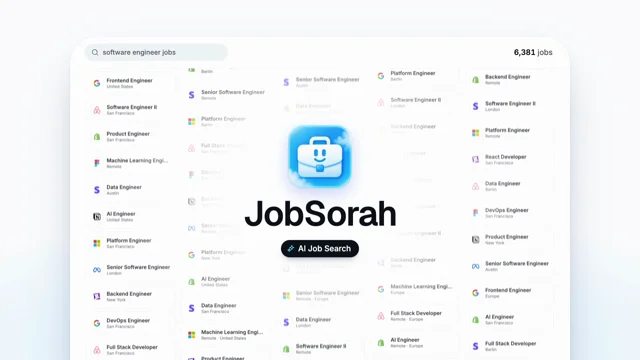 𝕏 Prompt available0:35

Make a 15-second motion graphics video for JobSorah. Clean SaaS style, smooth animations, fast transitions, make it feel like a real launch video.” And this is what it made 😭🔥 #buildinpublic
 r/ Prompt available1:14
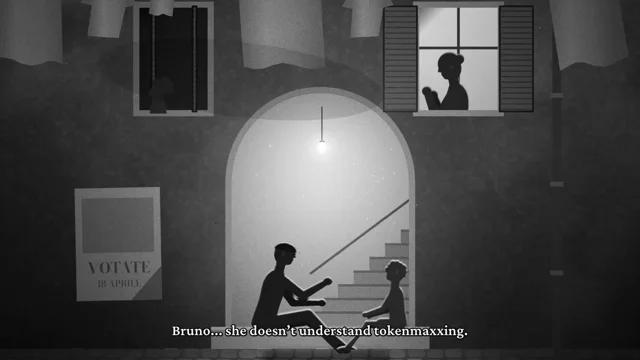
Create a 50–75 second film that combines Bicycle Thieves with the tokenmaxxing meme. Include Tiltanic and a toilet. Make horizontal and vertical versions. Choose the medium and work autonomously.…
Full prompt
>Create a 50–75 second film that combines Bicycle Thieves with the tokenmaxxing meme. Include Tiltanic and a toilet. Make horizontal and vertical versions. Choose the medium and work autonomously.

The process was:

1. Claude wrote an 11-scene script with Italian dialogue and English and Polish subtitles.
2. Claude built the characters, sets, and animation in TypeScript and HTML Canvas, the browser’s graphics surface.
3. Claude used Google Gemini text to speech for the voices. It checked the words with Whisper and used the voice durations to set scene lengths.
4. Claude used Playwright to capture frames in Chrome. FFmpeg combined the frames, dialogue, music, effects, and subtitles.
5. Claude produced preview images and tested character poses. A separate Claude review found crop errors, missing sound effects, and short reaction shots. Claude revised those parts before the final exports.

This project does not use Remotion. The pictures come from code, with real game footage inside the film.

The attached video is the result.
 𝕏 Prompt available0:17

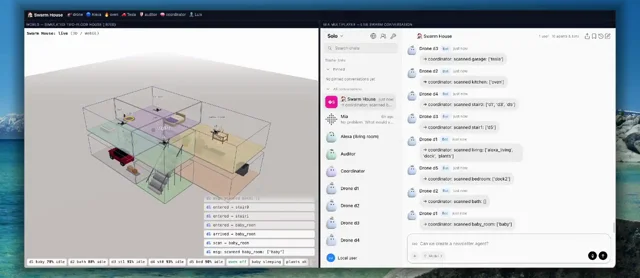
I want to see how we can manage a swarm of IoT and agentic-physical AI look like at home and we can use Mia's UI to manage everything: Water the plants, check on the baby, make sure the oven is off,…
Full prompt
I want to see how we can manage a swarm of IoT and agentic-physical AI look like at home and we can use Mia's UI to manage everything: Water the plants, check on the baby, make sure the oven is off, and how is the Tesla?
 r/ Prompt available0:46
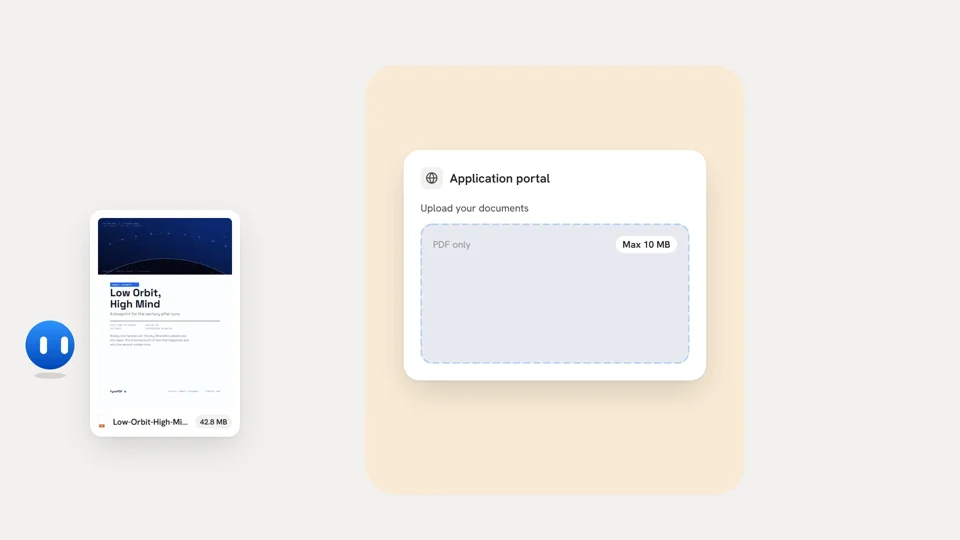
posts animate a drawn copy of the interface. I did that too, and it works. But I wanted the real product on screen, and I wanted to shoot it again after every UI change without doing anything by…
Full prompt
posts animate a drawn copy of the interface. I did that too, and it works. But I wanted the real product on screen, and I wanted to shoot it again after every UI change without doing anything by hand.

So I had Claude Code build a small recorder. The video above is my real app, driven by a script. Nobody touched the mouse.

**How it works**

A video is a plain HTML page animated with CSS. A script moves every animation to the time of each frame, takes a screenshot in headless Chrome, and ffmpeg encodes the frames. No React, no Remotion, no video editor.

For the real app, a scenario file clicks, types and drags as a demo user. This is from the example in the repo:

    await t.click({ text: 'Orders', in: 'nav a' });
    t.say('It clicks, types and drags like a person', 3.4);
    await t.click('#new');
    await t.cam('.dialog', 1.45, .8);
    // zoom the camera onto the dialog
    await t.click({ label: 'Customer' });
    await t.type('Priya Raman', .07);
    await t.select({ label: 'Plant' }, 'Fiddle-leaf fig');
    await t.drag('input[name=quantity]', .02, .3);
    await t.click({ text: 'Save order', in: 'button' });

The trick that makes the frame rate exact: the whole page runs in slow motion. CSS animations play at one tenth of the speed, the page's timers are stretched ten times, and one frame is taken every third of a second. Chrome's virtual time was the first idea and it hung.

The cursor, click rings, camera moves and captions are not in the recording. They are drawn when the video is rendered, so I can restyle them without recording again.

The music is code too. No samples, so nothing to license: a quiet piano, and one short sound for each thing that happens on screen.

**How Claude Code was used**

It wrote all of it. I directed and watched every cut. The first version, renderer and recorder, took one working day. The prompts I ended up with are in the repo, cleaned up so you can paste them.

The first result was bad. A slideshow. What made it good was not the first prompt, it was the notes after each screening:

* r/ Prompt available1:30
Can you create me a 1:30 min professional video for Compress. I've a good design taste so don't come up with weak shit. Stay in brand but sky is the ceiling for your creativity…
Full prompt
Can you create me a 1:30 min professional video for Compress. I've a good design taste so don't come up with weak shit. Stay in brand but sky is the ceiling for your creativity…
 𝕏 Prompt available0:15

Make a dynamic 15-second motion graphics video that shows what an incredible motion designer you are, like it's your showreel for your resume. Go all out.
 𝕏 Prompt available1:10

Make a dynamic 40-50 second motion graphics video that shows what an incredible motion designer you are, like it's your showreel for a resume. go all out. Must have music, and motion must match the…
Full prompt
Make a dynamic 40-50 second motion graphics video that shows what an incredible motion designer you are, like it's your showreel for a resume. go all out. Must have music, and motion must match the music.
 r/ Prompt available0:41
Can you create a motion graphics video about the platform learnfrom.co. Include the real branding and screens from the website/dashboard. **What happened next:** * It proposed a storyboard (problem…
Full prompt
>Can you create a motion graphics video about the platform learnfrom.co. Include the real branding and screens from the website/dashboard.

**What happened next:**

* It proposed a storyboard (problem → brand reveal → product screens → pricing → CTA) and asked a single question: 16:9 or 9:16.
* I had to give it access to my site and let it use my browser through the Chrome extension, so it could see my dashboard while I was logged in.
* It pulled my exact brand colors from the site's CSS and rebuilt my dashboard screens (course builder, students table, certificates, pricing) as animated recreations.
* It swapped my messy test data and real student emails for clean sample data, without me asking. Honestly the part I appreciated most.
* It rendered a 41-second 1080p MP4.

**Follow-ups I gave:**

1. "Can you include the logo and add sound?" It grabbed my actual SVG logo and generated original music plus sound effects synced to the animations (clicks, typing, a cash-register ding on payments).
2. "Make the logo at 0:06 the same color as the text, without a background." It fixed exactly that and changed nothing else.

So, one real prompt and two tweaks. Total time was about 15 minutes, most of it waiting on renders.

**Honest caveats:**

* The screens are recreations of my UI, not screen recordings. They look right, but it's not literally my app running.
* The music is synthesized. It's fine as a background bed, but it's not going to win any awards.
* It needed access to my site and browser. Without that, you'd have to upload screenshots and your logo yourself.

**Takeaway for other founders:** Try it! If a missing promo video is what's holding you back, it's no longer a budget problem. Start with a short prompt, let it propose a storyboard, then iterate with small, specific edits. Small edits worked much better than asking for a full redo.

Happy to answer any questions about the process.
 r/ Prompt available0:31
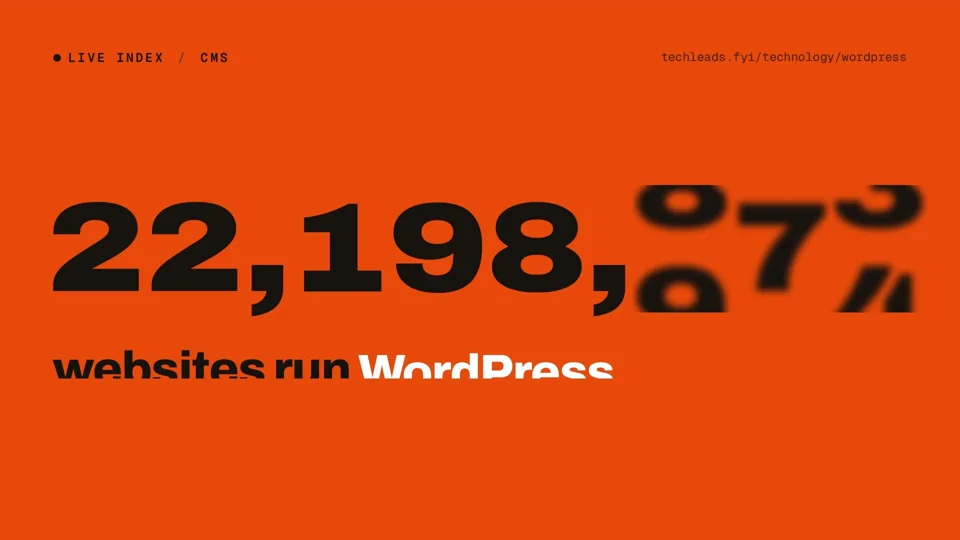
You're a world-class motion designer building a [Techleads.fyi](http://Techleads.fyi) launch video. Research and land our core value and narrative. Scenes should be dynamic and confident: hook in…
Full prompt
You're a world-class motion designer building a [Techleads.fyi](http://Techleads.fyi) launch video. Research and land our core value and narrative. Scenes should be dynamic and confident: hook in the first second, then distinct beats for product proof and AI. Brand-accurate UI, type, color, and motion. Score the music so every cut, animation hit, and scene change lands on a beat or drop; retimed until synced. Social energy, quick cuts.
 r/ Prompt available2:00
Make a dynamic 120'ish second motion graphics video that shows what an incredible motion designer you are, like it's a showreel for a resume. go all out. you're minimalist and tasteful, but not…
Full prompt
*

Make a dynamic 120'ish second motion graphics video that shows what an incredible motion designer you are, like it's a showreel for a resume. go all out. you're minimalist and tasteful, but not afraid to add a wow factor. You'll build the video for Inviting Ways. Use your current tools as needed, as well as any others you might need (downloads approved only if they pass `security-check-v3`). You can spend up to $5 in api credits on openrouter, as well as what’s left of credits with ideogram (or any other tools already set up and w/ credits available). Impress me and show me what you're capable of. r/ Prompt available0:15
Make a dynamic 15-second motion graphics video for this product. Go all out. Agents on a canvas, voice control, drawing diagrams, browser previews.